“How much will it cost to migrate to the cloud?”
Gets asked every single time. And most consultants give you the frustrating answer: “It depends.”
Let me give you actual numbers instead.
After maybe 120 Australian cloud migrations over 11 years, I can tell you exactly what companies your size typically spend - and more importantly, where the hidden costs lurk that catch most businesses completely off guard.
Three Cost Categories Nobody Explains Clearly
Cloud migration costs split into three buckets, and most businesses only budget for two:
One-time migration costs - what you pay upfront to actually move. Planning, execution, testing, cutover.
Ongoing cloud costs - your new monthly bill. Compute, storage, services, support. This is what everyone focuses on.
Optimization costs - the one everyone forgets. Rightsizing, cost optimization, ongoing management after you’re live.
Forget that third bucket? Your cloud costs run 40-60% higher than necessary for the first year. Seen it dozens of times.
Quick Numbers by Company Size
Here’s what I’ve actually seen across 120ish migrations:
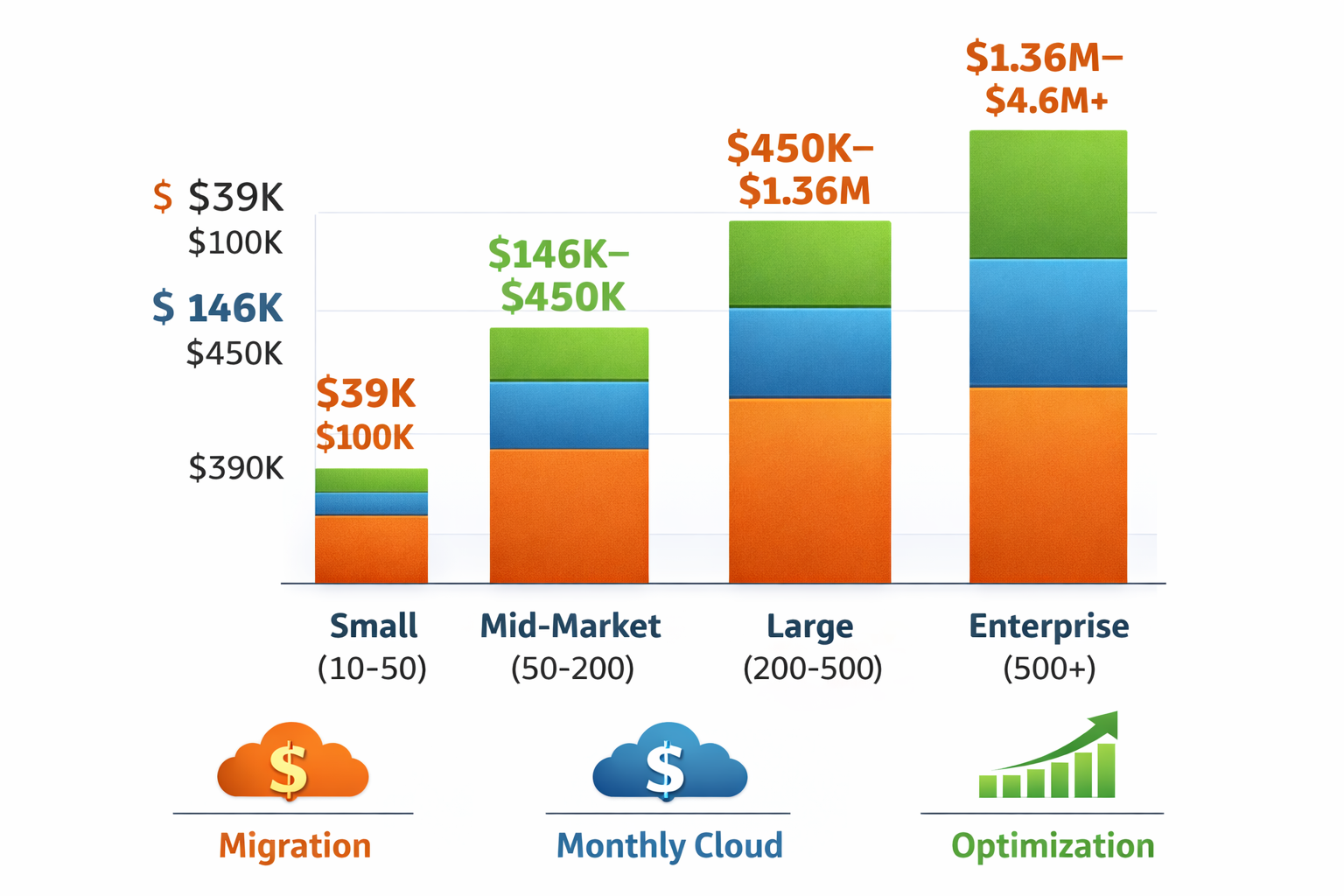
| Company Size | Migration Project | Monthly Cloud | First Year Total |
|---|---|---|---|
| Small (10-50) | $15K - $40K | $2K - $5K | $39K - $100K |
| Mid-Market (50-200) | $50K - $150K | $8K - $25K | $146K - $450K |
| Large (200-500) | $150K - $400K | $25K - $80K | $450K - $1.36M |
| Enterprise (500+) | $400K - $1M+ | $80K - $300K+ | $1.36M - $4.6M+ |
These aren’t sales estimates - they’re real ranges from actual projects. Your specific costs depend on factors we’ll get into.
Migration Project Costs: What You’re Actually Paying For
Discovery and Assessment
This is where you figure out what you actually have. Application inventory, dependency mapping, data volumes, compliance requirements.
Small business: $3K - $8K (1-2 weeks) Mid-market: $8K - $18K (2-4 weeks) Enterprise: $18K - $25K+ (4-8 weeks)
Melbourne logistics company (75 people) paid $12K for discovery. Found 47 applications, 2TB data, compliance requirements. Discovered legacy software that wouldn’t run in cloud - needed re-platforming budget. That discovery prevented a $40K mistake mid-project.
Skip discovery? I’ve seen companies start migrating and find out:
- Critical apps don’t support cloud
- Data volumes are 3x larger than guessed
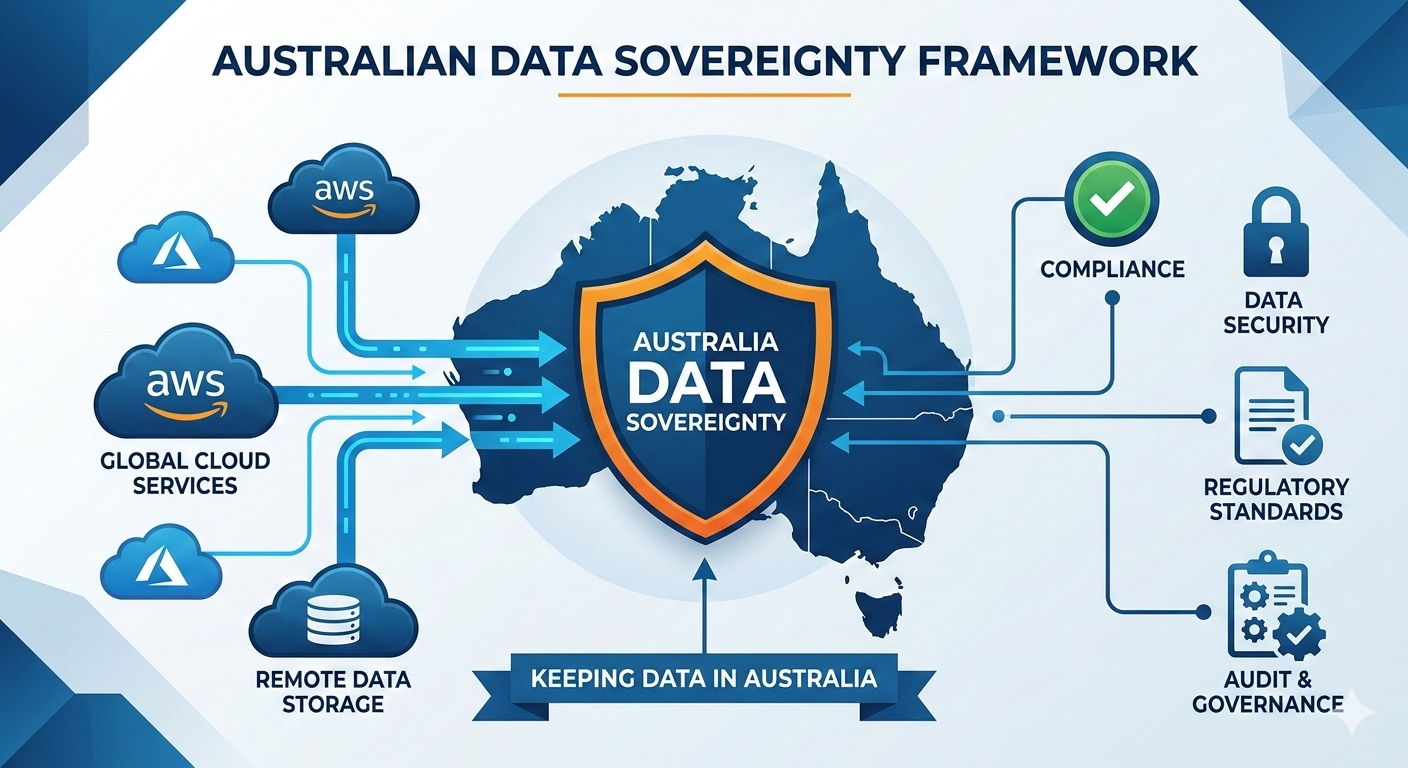
- Compliance blocks certain cloud regions
- System dependencies break workflows
Don’t skimp here. It’s 5-10% of budget but prevents 50%+ overruns.
Migration Planning and Architecture
Detailed roadmap, target architecture, security design, DR strategy, network planning.
Small: $5K - $12K (2-3 weeks) Mid: $12K - $28K (3-6 weeks) Large: $28K - $40K+ (6-10 weeks)
Healthcare provider (120 staff) invested $22K in detailed planning. That upfront work identified phased migration would reduce risk and allow staff training over 6 months instead of big-bang cutover. Saved them from the chaos I’ve seen with rushed migrations.
Actual Migration Execution
Biggest variable. Depends heavily on your strategy:
Lift and Shift - move servers as-is to cloud
- Cheapest initially, highest ongoing costs
- Fastest (weeks to 2-3 months)
- $50-150 per server
- Small: $7K-$15K | Mid: $25K-$75K | Large: $75K-$200K
Lift and Optimize - move to cloud-native services where easy
- Moderate cost, better cloud economics
- $150-400 per server/app
- Small: $12K-$30K | Mid: $50K-$120K | Large: $120K-$300K
Cloud-Native Rebuild - rebuild as containers, serverless, microservices
- Highest upfront, best long-term ROI
- Significant dev work required
- $200-800 per application
- Small: $25K-$80K | Mid: $80K-$250K | Large: $250K-$1M+
Data migration costs separately:
Small data (<100GB): included in execution
Medium (100GB-1TB): $2K-$8K
Large (1TB-10TB): $8K-$40K
Very large (10TB+): $40K-$200K+
Brisbane manufacturer with 8TB of CAD files used Azure Data Box ($800 one-time) instead of network transfer. Would’ve taken 3 weeks over network with timeout risks. Physical data ship saved them days and headaches.
Application complexity matters too:
Simple apps (static sites, basic databases): $500-$2K each Medium apps (business systems, CRM, ERP modules): $2K-$15K each Complex apps (custom systems, heavy integration): $15K-$80K+ each
Testing and Validation
Functional testing (does it work?), performance testing (fast enough?), security testing (safe?), UAT, DR testing.
Small: $3K-$8K (1-2 weeks) Mid: $8K-$18K (2-4 weeks) Large: $18K-$30K+ (4-6 weeks)
Skip testing? Seen migrations go live with:
- Performance issues (3x slower in cloud)
- Data corruption during migration
- Security vulnerabilities exposed
- Backup failures discovered during actual emergency
Not worth the risk.
Cutover and Go-Live Support
Final sync, DNS cutover, user training, 24/7 support during transition, post-launch monitoring.
Small: $2K-$6K Mid: $6K-$14K Large: $14K-$20K+
Law firm budgeted for migration but not cutover support. Document management system had issues 6 hours after Saturday night go-live. Couldn’t reach internal IT. Emergency support cost $8K that weekend. Planned coverage would’ve been $3K.
Don’t cheap out on the finish line.
Monthly Cloud Costs: The New Reality
What You’ll Actually Pay Monthly
Small Business (10-50 users)
Typical setup: 5-10 VMs, 500GB-2TB storage, basic backup/DR, standard support.
Monthly range: $2,000-$5,000
Breakdown:
- Compute: $800-$2,200
- Storage: $150-$500
- Networking: $100-$300
- Databases: $300-$800
- Backup: $100-$300
- Security/Monitoring: $150-$400
- Support: $400-$500
Mid-Market (50-200 users)
Typical setup: 15-40 VMs, 3TB-10TB storage, automated backup with <4hr RTO, business support, enhanced monitoring.
Monthly range: $8,000-$25,000
Compute leads the costs at $3.5K-$10K monthly, followed by databases at $1.2K-$4K. This is where most companies focus optimization efforts later.
Large Enterprise (200-500 users)
Setup: 50-150 VMs, 10TB-50TB storage, high availability with <1hr RTO, enterprise support, advanced security.
Monthly range: $25,000-$80,000
At this scale, compute ($10K-$30K) and databases ($4K-$15K) dominate costs.
Hidden Costs That Surprise Everyone
Data Egress Fees
Data leaving cloud to internet costs money. AWS charges $0.09-$0.14 per GB after first 1GB free. Azure similar at $0.087-$0.138 per GB after 5GB.
Sydney retailer migrated e-commerce to AWS. Product images served to customers cost $3,200/month in egress they hadn’t budgeted. CloudFront CDN reduced this to $800/month, but they should’ve known upfront.
How to avoid: use CDN for public content, keep processing in same region, compress before transfer, use Direct Connect for high-volume scenarios.
Support Costs People Underestimate
Many don’t budget beyond basic support tier.
AWS tiers: Basic ($0, no SLA) → Developer ($29/month) → Business ($100+/month, 24/7) → Enterprise ($15K+/month)
Azure similar: Basic ($0) → Developer ($29) → Standard ($100+) → Professional Direct ($1K+)
My recommendation? Budget for Business/Standard minimum. When things break at 3 AM, you need real support. Seen too many companies regret the basic tier after their first outage.
Management Tools You’ll Need
Beyond basic cloud platform, you’ll want:
- Security monitoring (SIEM)
- Application performance monitoring
- Log analysis
- Cost optimization tools
- Backup management
Typical tools:
- Datadog/New Relic (APM): $500-$2K/month
- Splunk/Sumo Logic: $400-$1.5K/month
- CloudHealth (cost management): $300-$1K/month
- Veeam (backup): $200-$1K/month
Ongoing Management Labor
Option A: Internal team. Need cloud-skilled engineers (scarce in Australia). Salaries run $100K-$150K. Usually need 0.5-2 FTE depending on complexity.
Option B: Managed services. $2K-$15K/month depending on coverage. Includes monitoring, patching, optimization. Typically 15-30% of monthly cloud spend.
Melbourne professional services firm (80 users) thought existing IT could handle cloud. After 6 months of performance issues and a security breach, they hired managed services for $4K/month. Less than hiring a dedicated cloud engineer, better results.
Licensing Gotchas
Windows Server licensing: included in some VM types (more expensive) OR bring your own (Azure Hybrid Benefit). Cost difference: 40-50% of VM cost.
SQL Server: included in some tiers OR bring your own. Difference: 55-75% of database cost.
Third-party software often charges per-core in cloud. Can add 20-40% to expected costs. Licensing audits after migration are common - be prepared.
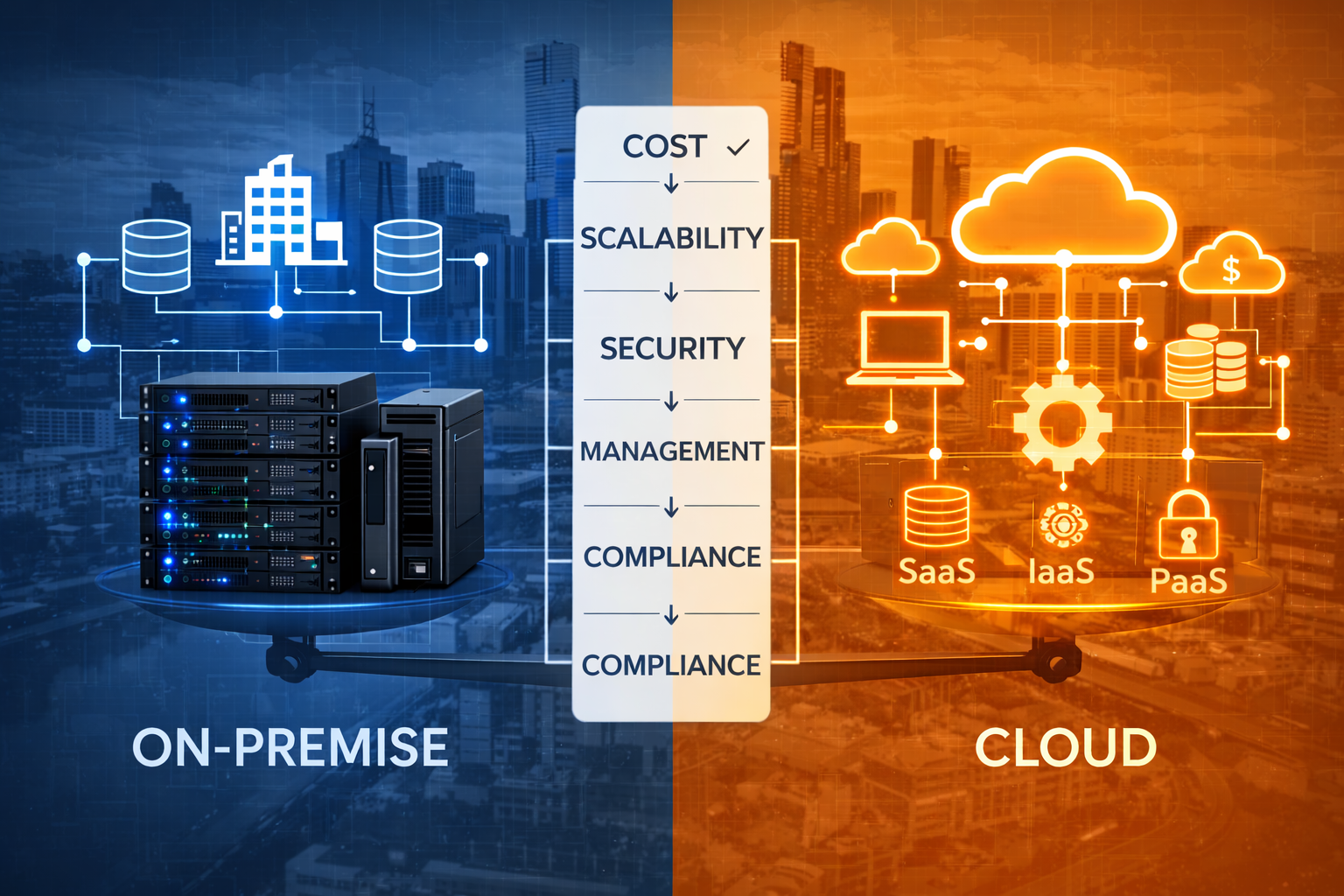
TCO Reality Check: 3-Year Comparison
Let’s compare on-premise vs cloud for mid-market company (100 users):
On-Premise Today:
- Initial: Server hardware ($80K), storage ($40K), network ($20K), software ($60K), implementation ($40K) = $240K
- Annual ongoing: Maintenance ($24K), power ($8K), IT staff 1.5 FTE ($120K), software renewals ($18K) = $170K/year
- 3-year total: $240K + ($170K × 3) = $750K
Cloud Migration:
- Initial: Migration project ($120K), training ($8K) = $128K
- Year 1 ongoing: Cloud services ($180K), managed services ($48K), licensing ($18K), internal IT 0.5 FTE ($40K) = $286K
- Years 2-3 optimized: Cloud ($126K), managed ($48K), licensing ($18K), IT ($40K) = $232K/year
- 3-year total: $128K + $286K + ($232K × 2) = $878K
Cloud costs $128K MORE over 3 years in this scenario.
So why migrate?
Benefits not in TCO math:
- Scale up for seasonal peaks, down otherwise
- No hardware refresh every 5 years
- Deploy new services in hours, not months
- 99.9% SLA vs typical 95-97% on-premise
- Access to AI, ML, analytics without infrastructure investment
- Enterprise security without enterprise security team
- DR without second datacenter
Logistics company’s TCO was lower on-premise. They migrated anyway because:
- Seasonal peaks (December 3x normal)
- On-premise couldn’t scale fast enough (lost contracts)
- No disaster recovery (20% revenue risk)
- Deployed customer portal in 6 weeks vs 9 months
Their cloud spend was higher, but revenue increased 40% because they could take seasonal contracts they couldn’t handle before.
Cost Optimization: Cutting 30-50% After Migration
Most businesses overspend 40-60% in first year. Here’s how to fix it:
Quick Wins (First 30 Days)
Right-size VMs. Migrations often match on-premise specs. Monitor actual usage, downsize 30-50% of VMs. Typical savings: 25-40% on compute. Time: 2-3 days.
Delete unused resources. Test VMs, old snapshots, orphaned disks accumulate. Audit and delete. Savings: 10-20% overall. Time: 1-2 days.
Auto-shutdown dev/test. Development environments don’t need to run 24/7. Auto-shutdown evenings/weekends. Savings: 60-70% on dev costs. Time: 2 hours.
Medium-Term (First 90 Days)
Reserved Instances/Savings Plans. Commit to 1-3 year reservations for steady workloads. Savings: 30-75% on committed usage. Time: 1-2 weeks analysis.
Spot/Low-Priority instances. Use for batch jobs, rendering, fault-tolerant workloads. Savings: 70-90% on applicable work. Time: 1 week implementation.
Storage tiering. Move infrequently accessed data to cool/archive tiers. Savings: 50-80% on archived data. Time: 2-3 weeks.
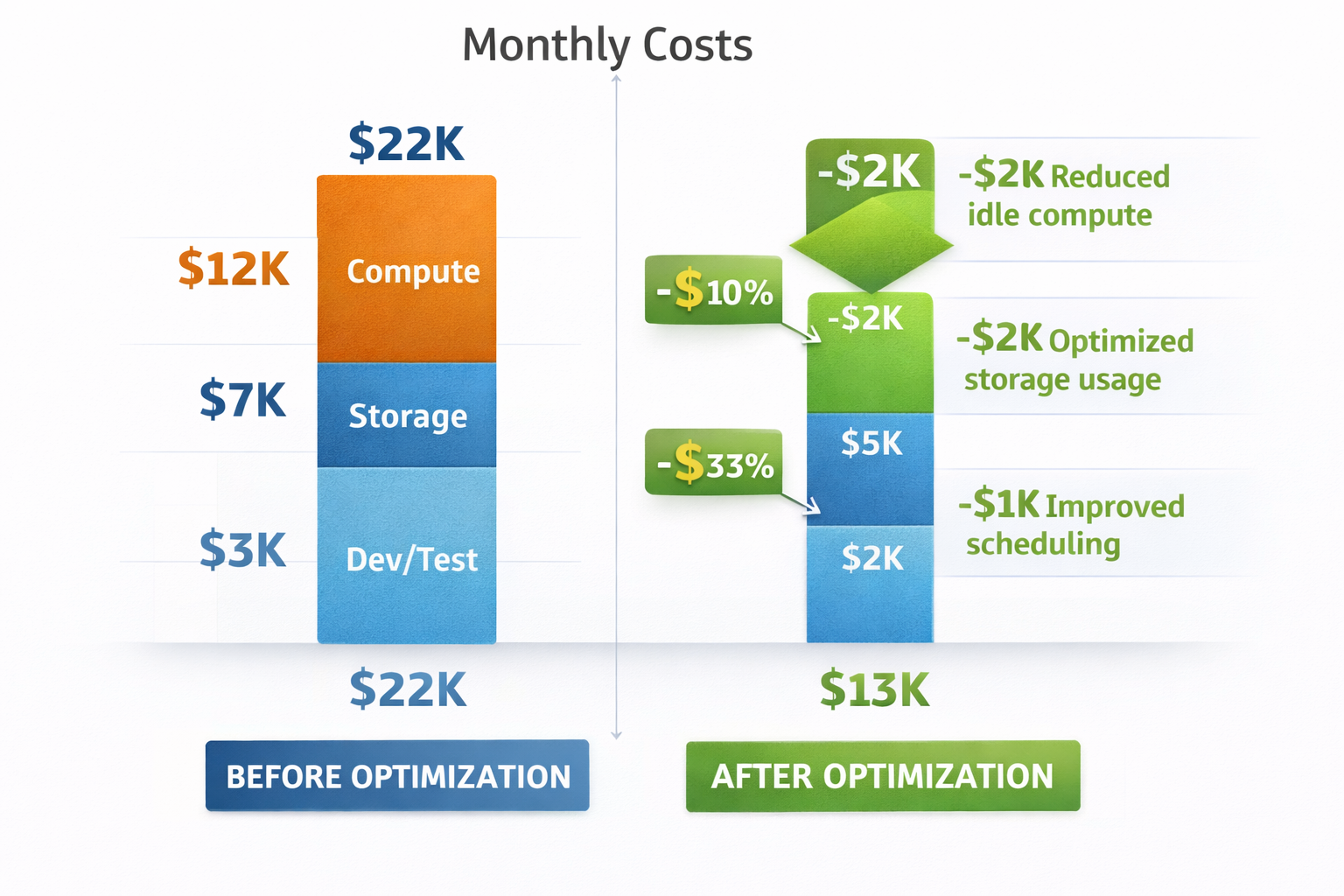
Melbourne healthcare provider cut monthly costs from $22K to $13K (41% reduction) in two weeks:
- Right-sized VMs: saved $4K/month
- Reserved instances: $3K/month
- Storage tiering: $1.5K/month
- Auto-shutdown dev/test: $500/month
Total effort: 2 weeks analysis and implementation. Annual savings: $108K.
Hidden Costs That Surprise Businesses
Higher First-Year Costs
Migration typically over-provisions for safety. Learning curve on cost optimization. Initial architecture not optimized. Unexpected data transfer costs.
Typical pattern:
- Months 1-3: 40-60% over budget
- Months 4-6: 20-30% over budget
- Months 7-12: Approach budget with optimization
Budget 40% extra for first 6 months. Plan optimization for months 3-6.
Timeline Extensions
Planned: 3 months Actual: 5-7 months (60-130% longer)
Why? Discovery finds more complexity. Dependency mapping incomplete. Data migration takes longer. Testing reveals rework needed. Business requests changes mid-migration.
Each month delay costs 15-25% of monthly migration budget in extended fees and dual-running costs.
Add 50% buffer to timeline estimates. Plan for dual-running costs during transition.
Staff Training and Productivity Loss
What businesses underestimate: learning new systems (slower initially), IT staff learning cloud (3-6 month ramp), business users adapting to changes.
Typical impact:
- 10-20% productivity loss first 2-4 weeks
- $15K-$50K training costs for IT team
- Consultant dependency for first 6-12 months
Technical Debt from Rushed Migration
Pressure to “just get it working” leads to skipped optimization and best practices. Accumulates technical debt.
Future cost:
- 30-50% higher monthly cloud costs
- Security vulnerabilities requiring remediation: $50K-$200K
- Performance issues requiring re-architecture: $80K-$300K
Company rushed migration in 6 weeks (should’ve been 12). Saved $40K in consulting fees. Spent $180K over next year fixing performance, security gaps, and cost overruns.
Not worth it.
Budget Recommendations by Size
Small Business (10-50 users)
Migration budget: $40K-$60K
- Discovery & planning: $8K
- Execution: $20K-$30K
- Testing & cutover: $6K
- Buffer (30%): $6K-$16K
Monthly Year 1: $4K-$6K
- Cloud services: $2.5K-$4K
- Support: $200
- Managed services: $1K-$1.5K
- Buffer for learning: 40% extra first 6 months
Year 1 total: $88K-$132K
Monthly Year 2+: $2.5K-$3.5K (after optimization)
ROI timeline: 24-36 months
Mid-Market (50-200 users)
Migration budget: $150K-$220K
- Discovery & planning: $30K
- Execution: $90K-$140K
- Testing & cutover: $20K
- Buffer (30%): $10K-$30K
Monthly Year 1: $15K-$22K
- Cloud services: $10K-$15K
- Support: $400-$800
- Managed services: $3.5K-$5K
- Security/compliance: $1K-$1.2K
Year 1 total: $330K-$484K
Monthly Year 2+: $10K-$14K (optimized)
ROI timeline: 18-30 months
Large Enterprise (200-500 users)
Migration budget: $400K-$650K
- Discovery & planning: $80K
- Execution: $250K-$450K
- Testing & cutover: $50K
- Buffer (20%): $20K-$70K
Monthly Year 1: $45K-$65K
- Cloud services: $30K-$45K
- Support: $1.5K-$3K
- Managed services: $10K-$13K
- Security/compliance: $3.5K-$4K
Year 1 total: $940K-$1.43M
Monthly Year 2+: $28K-$40K (optimized)
ROI timeline: 12-24 months
Red Flags in Quotes
Too Low (Danger)
If quote is >40% below these ranges, watch for:
- No discovery phase included
- No buffer for unknowns
- Assumes perfect data quality
- No testing phase
- No post-migration support
- Based on vendor estimates without real experience
Result: Mid-migration scope changes, 2-3x cost overruns, or failed migration requiring restart.
Too High (Question It)
If quote is >60% above ranges:
- Over-engineered solution (HA when you don’t need it)
- Consultant padding (body shop mentality)
- Unnecessary refactoring (rebuild when lift-shift works)
- Gold-plating (enterprise features for mid-market needs)
Get second opinion. Many consultants over-engineer to justify fees.
What to Actually Budget
For migration project:
- Start with realistic range for your size
- Add 30-40% buffer for unknowns
- Don’t skimp on discovery (false economy)
- Plan for 50% longer timeline than quoted
For monthly cloud costs:
- Budget 50-60% higher for first 6 months
- Plan cost optimization for month 3-4
- Expect 30-40% reduction with optimization
- Don’t forget hidden costs (support, tools, management)
Most important: goal isn’t lowest cost - it’s predictable costs and business value. Well-planned migration that costs 20% more but delivers on time with no surprises beats cheap migration that goes 100% over budget and fails to deliver benefits.
Get Your Free Cost Estimate
Want accurate numbers for YOUR situation? I offer free 30-minute cost assessments:
- Assess current environment (servers, apps, data)
- Identify requirements (compliance, performance, availability)
- Calculate realistic migration costs (not sales estimates)
- Estimate ongoing monthly costs with optimization roadmap
- Outline ROI timeline and payback period
No pressure - just honest numbers based on 120+ real migrations.