Some processes are not hard because of any single step. They are hard because they cross several systems, and people carry the work between them. If that sounds like your business, multi-system workflow automation is probably the fix, but only if it starts in the right place.
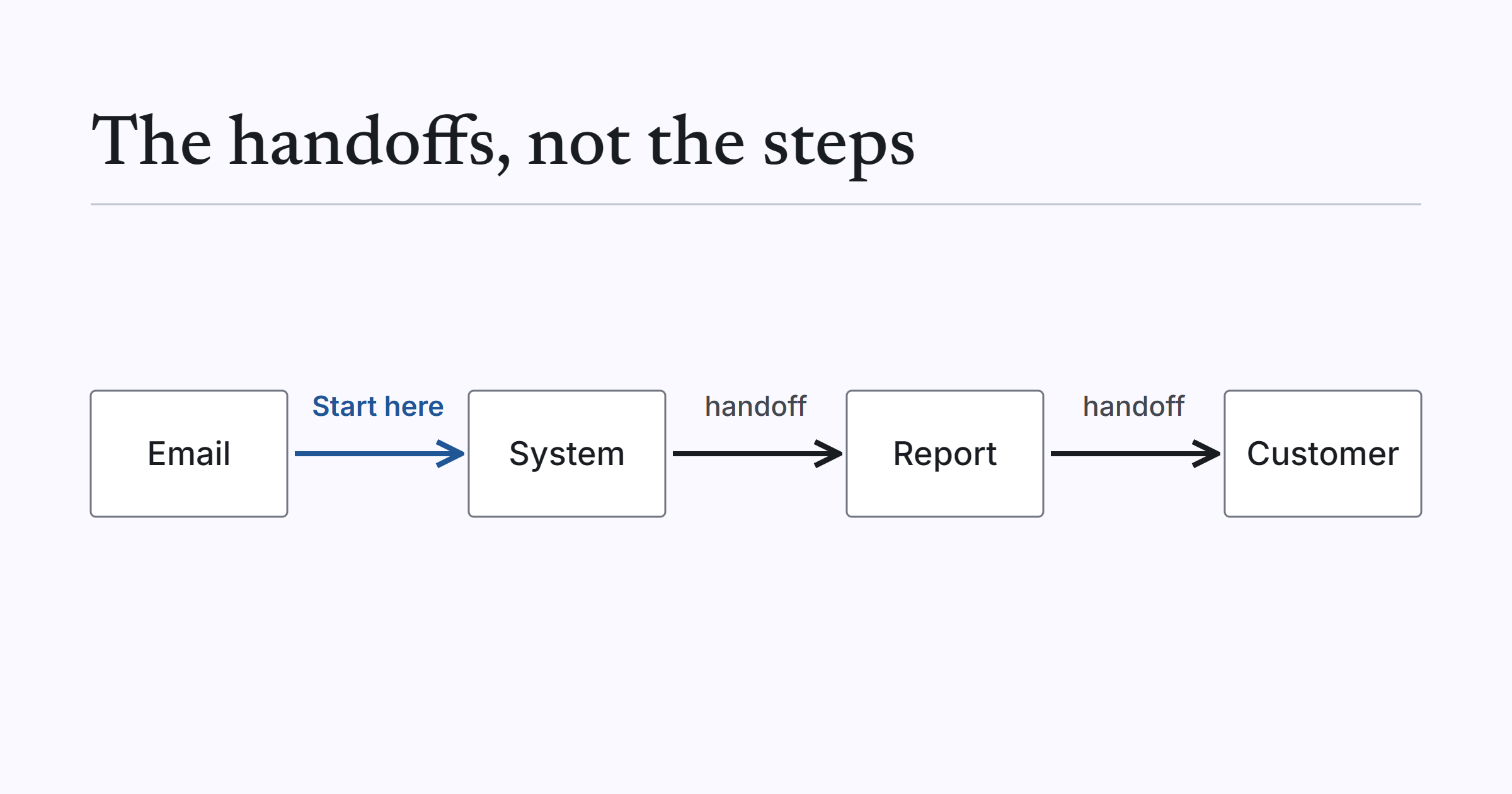
Imagine a process where data arrives by email, someone retypes it into a business system, a spreadsheet gets updated on the side, a report is assembled by hand and someone remembers to send it on Friday. Every step is simple. The trouble is the handoffs between them, and the fact that the process depends on people doing the gluing.
My approach is the same one I’d use on any automation. Understand the process first. Identify the real problem. Then choose the simplest technology that solves it.
Map the whole workflow before touching a tool
Before choosing anything, I’d want the workflow drawn end to end. It doesn’t need to be fancy. A page of notes is fine.
Where does the data enter, and in what form? Who touches it next, and what do they do with it? Where does it sit waiting for somebody? What is the final output, and who relies on it?
Walking through this with the people who do the work usually turns up things that nobody wrote down. The person who does the job every day almost always knows a step or a workaround that never made it into any procedure. It also shows whether the process is stable enough to automate at all. If it isn’t, fixing the process first is the better first step, because automating a muddled process just makes the muddle run faster.
The real problem is usually the handoffs
Once the workflow is mapped, I look for the real problem. In my experience it is rarely a single step. It’s the handoffs: the point where data moves from an inbox to a system, from one system to another, or from a system into a report.
Some handoffs matter more than others. Typically one of them feeds everything downstream. If the data goes in late or wrong, every report, forecast and decision after it inherits the problem.
That is the one to start with. Automating a step further down the line, while the first handoff stays manual, leaves most of the underlying problem in place.
It also helps to ask what each handoff is really doing. Sometimes it moves information that nobody needs to touch. Sometimes it’s a person checking something, which might be worth keeping. Knowing the difference stops you automating a check that was doing useful work.
Choosing the simplest technology
Here’s how I’d match the handoff to the tool.
| How the work moves | Simplest option |
|---|---|
| Data arrives as a file on a predictable schedule | A scheduled import |
| Data arrives as email attachments | A mailbox monitor that collects the files and imports them |
| Both systems offer an API | A direct integration between them |
| A person assembles the same report repeatedly | A scheduled report |
| Judgement or approval is needed | A person in the loop, with the system doing the preparation |
None of these needs AI when the input is structured. A file that arrives every morning in the same format is a rules problem, and rules are faster, cheaper, more predictable and easier to maintain. AI earns its place only when something has to be read or interpreted first, such as free-form emails or documents. I covered that split in more detail in my article on automating data entry into web forms, where I separate reading problems from filling problems.
For the connecting work in between, the steps, checks and notifications, this is the territory of workflow automation.
A worked example: Edible Garden
Edible Garden is a hydroponic herb grower that supplies retail grocery chains across the US. We have built and maintained their operations platform since January 2020.
Much of their daily data arrived as emailed sales reports from distribution partners. Staff read each email and typed the figures into the system by hand. Reporting to retail accounts, and planning ahead, depended on that manual work being done correctly and on time.
So the first handoff, email to system, was the one everything else depended on. We built a mailbox monitor that watches the shared reporting mailbox for the daily call sheet emails, collects the CSV attachments and imports them with no re-keying. It’s plain automation, not AI. The data was already structured in the attachments, so nothing needed interpreting.
With that in place, the later pieces had reliable data to work from. A forecasting engine works from weekly sales per farm and product and year-over-year trends, and allows for each crop’s sow-to-harvest time, since a three-week crop and a six-week crop need different forecasts. Scheduled fill-rate reports go out to retail accounts, including a dedicated report for the largest national grocery account. Barcode and QR scanning handles purchase orders on direct-to-store routes.
Staff no longer retype partner sales emails, and regular reports reach retail accounts on schedule without anyone assembling them. The platform has run in production for more than four years and continues to change as the business does. The full story is in the Edible Garden case study.
The lesson I’d take from it is the order of work. Solve the handoff that everything depends on first, with the simplest tool that does the job, then build on it.
What tends to go wrong
These are judgement calls from experience, not statistics.
Automating one step and leaving the handoffs manual. The step gets faster, but the work still waits on people to move it along.
No monitoring. An automated import that fails quietly is worse than a manual one, because nobody knows the data has stopped arriving. Decide up front how you’ll find out when something breaks.
No owner. Automation needs someone responsible for it, as systems and mailboxes change over time. If nobody owns it, it decays.
Building everything at once. It’s tempting to automate the whole workflow in one go. I’d rather do one handoff at a time, make sure it works and is trusted, then move to the next.
Where to start
Map one workflow end to end. Find the handoff that everything downstream depends on. Pick the simplest tool from the table above and start there.
If you’d like a second pair of eyes on it, Automation Discovery is built for exactly this: looking at the whole process before anything is built. Discovery is from $2,000. If you have a workflow in mind, ask us to assess it.