If you’ve been told to add AI to the systems you already run, you’re probably wondering whether that means replacing something that works. Usually it doesn’t. To integrate AI with existing systems, you connect a new capability to what you have. You don’t start again.
I’m a developer, and my approach is the same here as anywhere. Understand the process first. Identify the real problem. Then choose the simplest technology that solves it. “Add AI” is a direction, not a problem, so most of the work is turning it into something specific.
AI is a component, not a new system
A working CRM, accounting package or custom line-of-business system holds your data, your rules and your history. That’s valuable and hard to rebuild. AI doesn’t replace any of it.
Think of AI as one component that your system calls, or that sits beside it, to do a specific job. It reads something, drafts something or answers something. The system stays the system of record. That framing keeps the decision small and reversible, which is what you want while you’re learning what works.
Find the step that needs it
Before anything is connected, I’d want to know which step, in which workflow, genuinely needs interpretation or judgement. Most steps in most workflows don’t. They follow fixed rules, and conventional automation does them better. I went through that split in my article on which processes are worth automating.
When there is a step that needs AI, it’s usually something specific. Reading incoming requests and working out what they’re about. Drafting a first response. Classifying or summarising records. Answering questions from your own internal documents.
Name the step before choosing anything. “We need AI in the CRM” is vague. “Incoming enquiry emails need to be read and sorted before anyone can act on them” is a problem you can solve.
Where AI sits in relation to your system
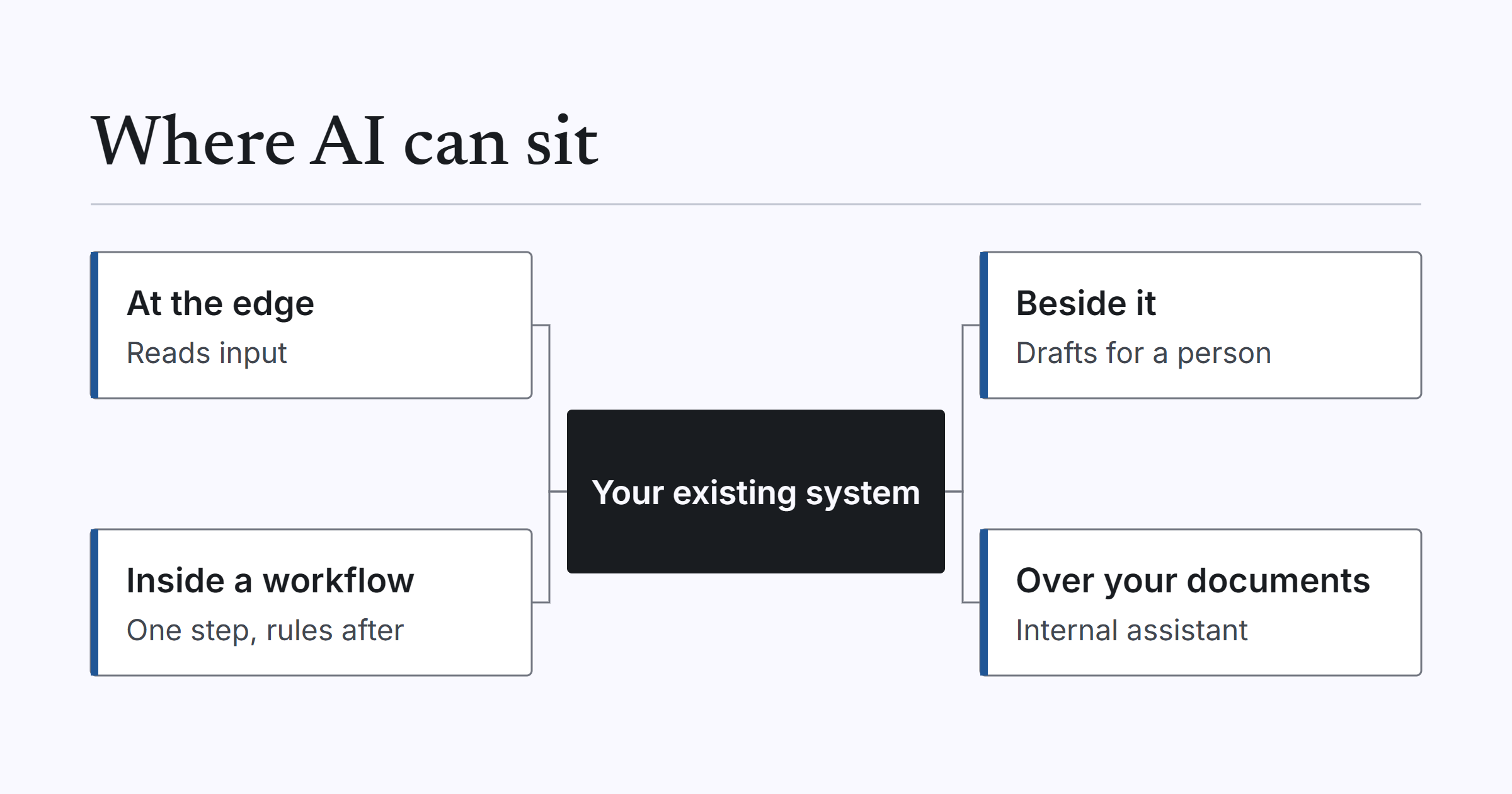
Once the step is named, the next question is where AI sits. Here are the shapes I’d consider, simplest first.
| Where AI sits | What it needs from your existing system |
|---|---|
| At the edge, reading input before it enters the system | A way to receive the structured result, such as an API or an import |
| Beside the system, drafting or summarising for a person to approve | A way to read the relevant records, and a place for the person to review |
| Inside a workflow as one step, with rules and validation after it | An event or message to trigger it, and an API to write back the validated result |
| An internal assistant over your own documents | An export or read access to the documents, with permissions respected |
The first and second shapes are often the safest place to begin, because a person is still in the loop and the system itself barely changes. The third is more powerful, and it needs more care. I’ve written about the wider pattern of connecting systems in automating a workflow across several systems, and the same thinking applies: connect one handoff at a time.
What your existing system needs first
AI can only be connected safely to a system that gives it a way to connect. Before getting excited about models, I’d check four things.
A way in and out. That might be an API, an export or a message the system can send or receive. If the only way to get data out is a person clicking through screens, that’s the first problem to solve.
One source of truth. If customer details live in three places and disagree, AI will happily work from the wrong one.
Clear boundaries. It helps if the system is organised into areas that can change without disturbing each other.
Somewhere to record what the AI did. You’ll want to know what went in and what came out, especially when something looks wrong.
Older or tightly coupled systems often need some groundwork before AI can be connected safely. That groundwork is worth doing for its own sake. A system with a proper API and clear boundaries is easier to maintain, easier to integrate with and easier to change, whether or not AI ever touches it.
A worked example of the groundwork: Relms
To be clear, this example is not an AI project. Relms is an Australian property management platform, and we have worked with their engineering team since March 2023 on modernising it. I’m using it to illustrate the groundwork, not to claim anything about AI.
The platform shipped as a single large application. Every business area shared one release schedule, so a change in one place could hold up releases everywhere else. We split it into separate services along its existing business boundaries, starting with accounts and communications, with the property area following. Messaging carries information between the services. Tenancy agreements and condition reports are generated by their own service, so document work does not compete with everyday platform use. The original application keeps running during the transition, with no big-bang cutover. The full detail is in the Relms case study.
The lesson I’d draw from this is my own judgement, not something Relms did. A system with clear service boundaries and messaging gives you clean places to connect a new capability, AI included, without touching everything else. When something needs to react to an event, or to be called as one step, there’s a defined spot for it. In a single tangled application, every new connection means reaching into the middle of things.
Guardrails
Whatever shape you choose, a few guardrails matter more than the choice of model.
Keep a person approving anything that goes to a customer or changes a financial record. Let rules and validation do the writing back, even when AI helped interpret the incoming information.
Log inputs and outputs, so you can see what the AI was given and what it produced.
Know where your data goes. If it matters to you that it stays in Australia, find that out before you connect anything. I cover the issues in my article on data sovereignty for Australian businesses. If you want the technical detail on one platform’s approach, this implementation guide goes deeper.
And start with one step. A single, well-understood step that you can watch is a far better first project than an attempt to put AI everywhere.
Where to start
Pick one workflow. Name the step in it that needs interpretation. Choose the simplest shape from the table, and check that your existing system gives you a safe way to connect.
If you’d like help doing that, our AI integrations work connects AI to the systems you already run. And if you’re not yet sure which step is the right one, Automation Discovery is the place to start. Discovery is from $2,000. If you have a system in mind, ask us to assess it.