This article is a design concept. It describes how I would design a quoting system for an insurance agency that sells many types of cover from many insurers. It is not a delivered project, and the screens below are mockups with made-up data. The real first piece, a browser extension that fills insurer quote forms, is in the case study.
The problem the agency has
A client of an independent agency rarely buys one thing. The same household might have car cover with one insurer, home cover with another and life or medical cover with a third. To get them a good price, staff request quotes from several insurers, and every insurer has its own quoting portal.
Each portal asks for largely the same details, in a slightly different layout. So the same information gets typed again and again. Most insurers don’t offer a public way to send quote requests in automatically, and where one exists it can be hard to get and costly. The agency has to work with the portals as they are.
The principle: work with the portals, not around them
If an insurer offers a proper integration, use it. It is more stable than anything that works through the screen. But when you can’t rely on one, the practical answer is to fill the insurer’s own form for the person doing the quote. I wrote about the general version of this in how to automate data entry into web forms: the filling step should be predictable, and a person stays in charge.
One place for the client
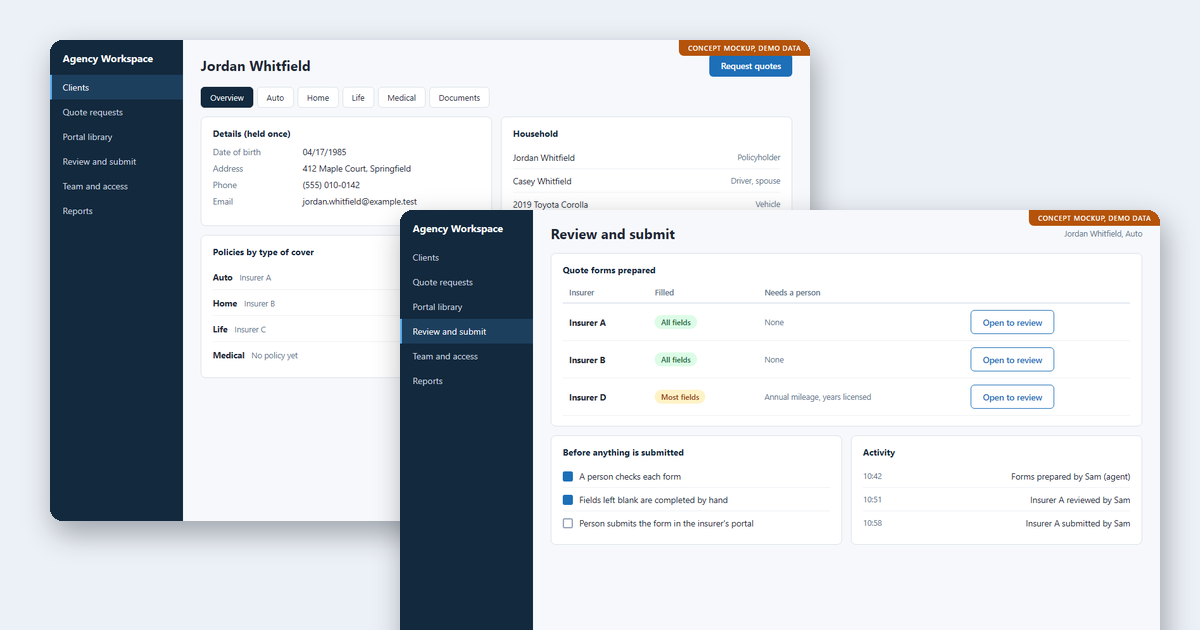
The first design decision is boring and important. Client details are held once, in one place, and everything else works from that record. Not a spreadsheet per insurer, not a note in someone’s inbox.
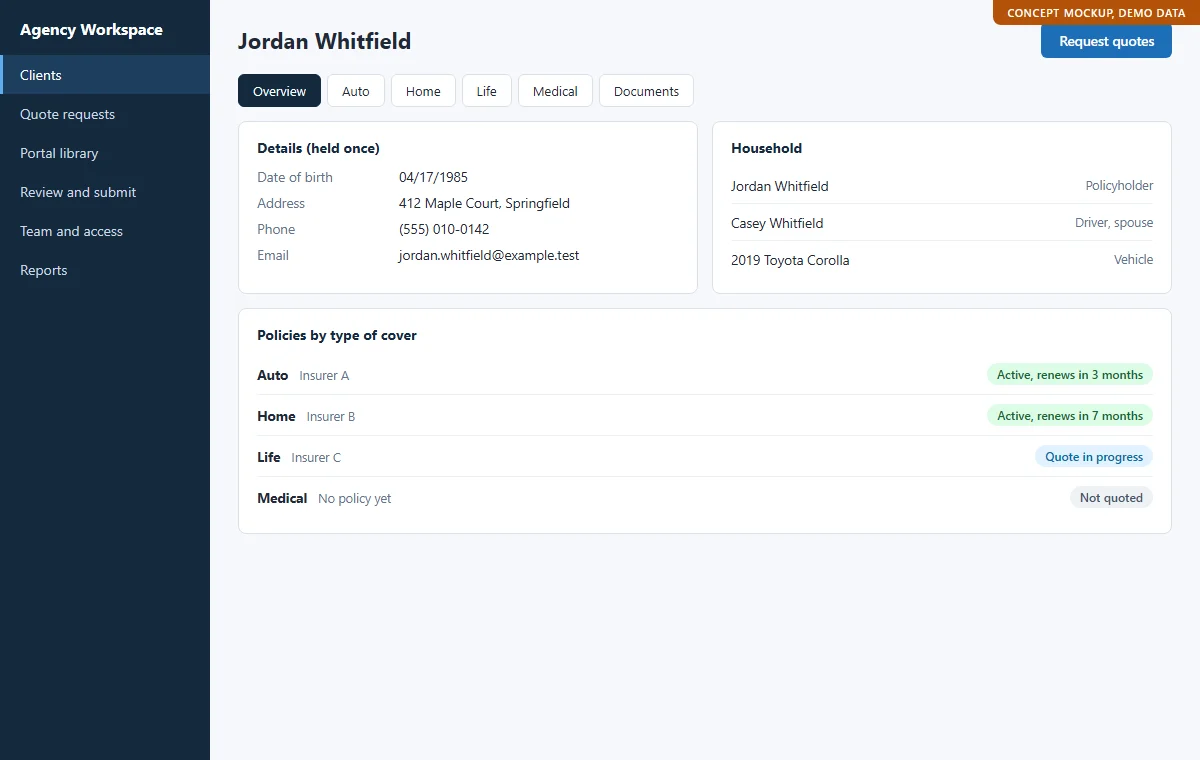
A client record with policies by type of cover (concept mockup, demo data).
Asking for quotes
A quote request starts from the client and the type of cover. The system lists only the insurers that cover that type of cover in the client’s state, shows which ones are ready, and flags anything missing before a form is opened.
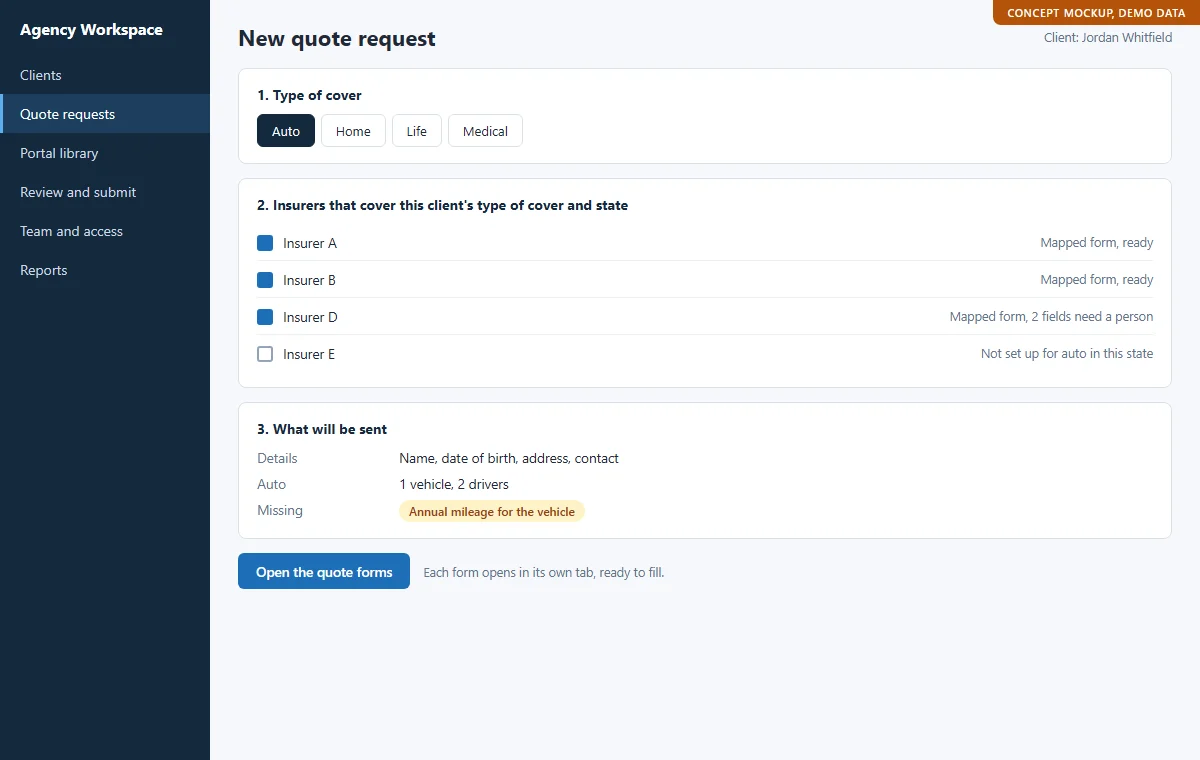
Choosing insurers and checking what is missing (concept mockup, demo data).
A library of portals and mappings
Each insurer form gets a saved mapping from the form’s fields to the client record, set up once. The agency does this itself, so a new insurer doesn’t mean waiting on a developer.
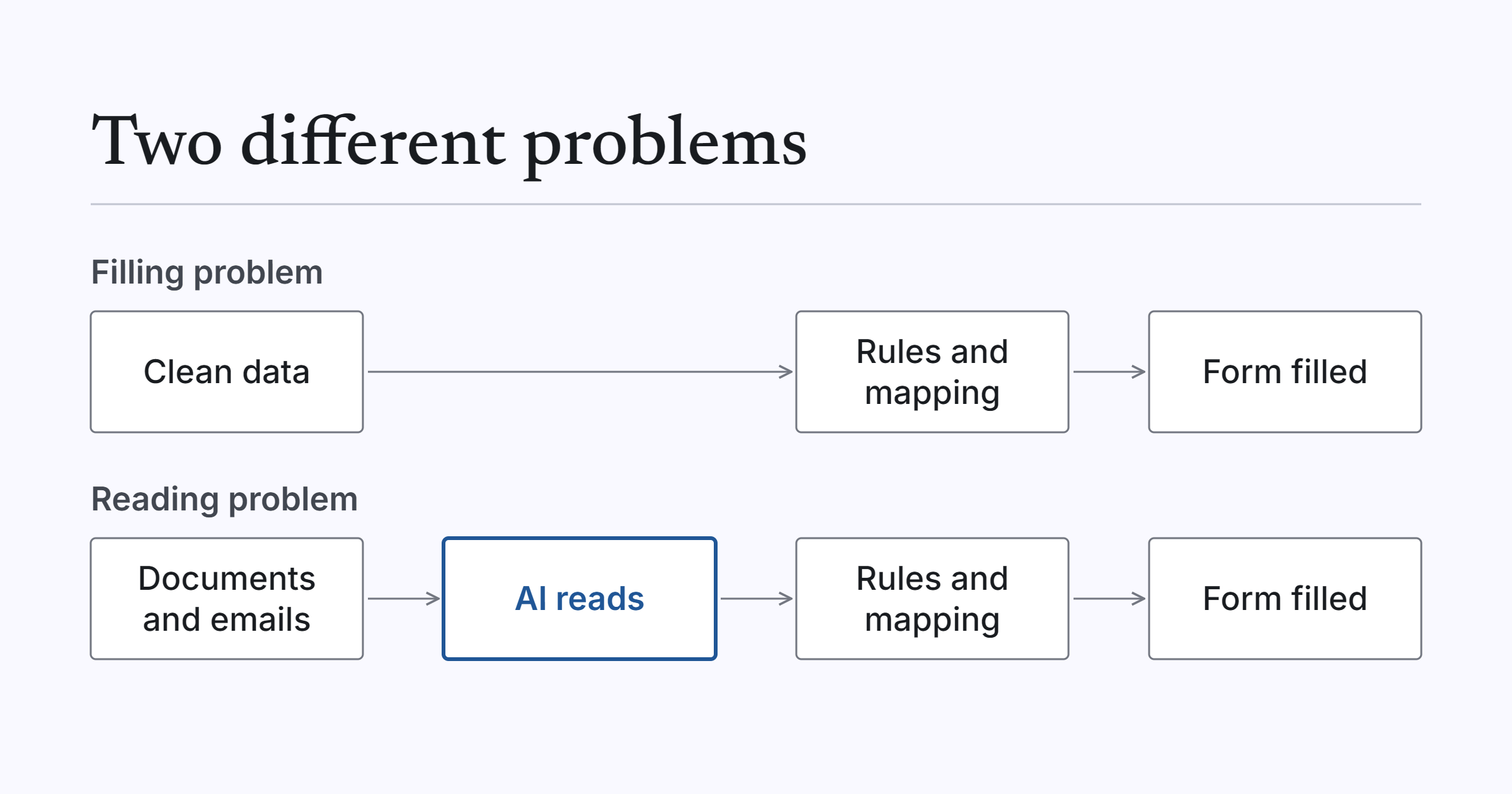
This is where I would use AI, and only here. When a new portal is set up, a model can suggest which form field matches which client detail, from the field labels. A person confirms each suggestion, and anything without a confident match is left for a person to choose. After that, filling is plain rules, so the same details always land in the same fields.
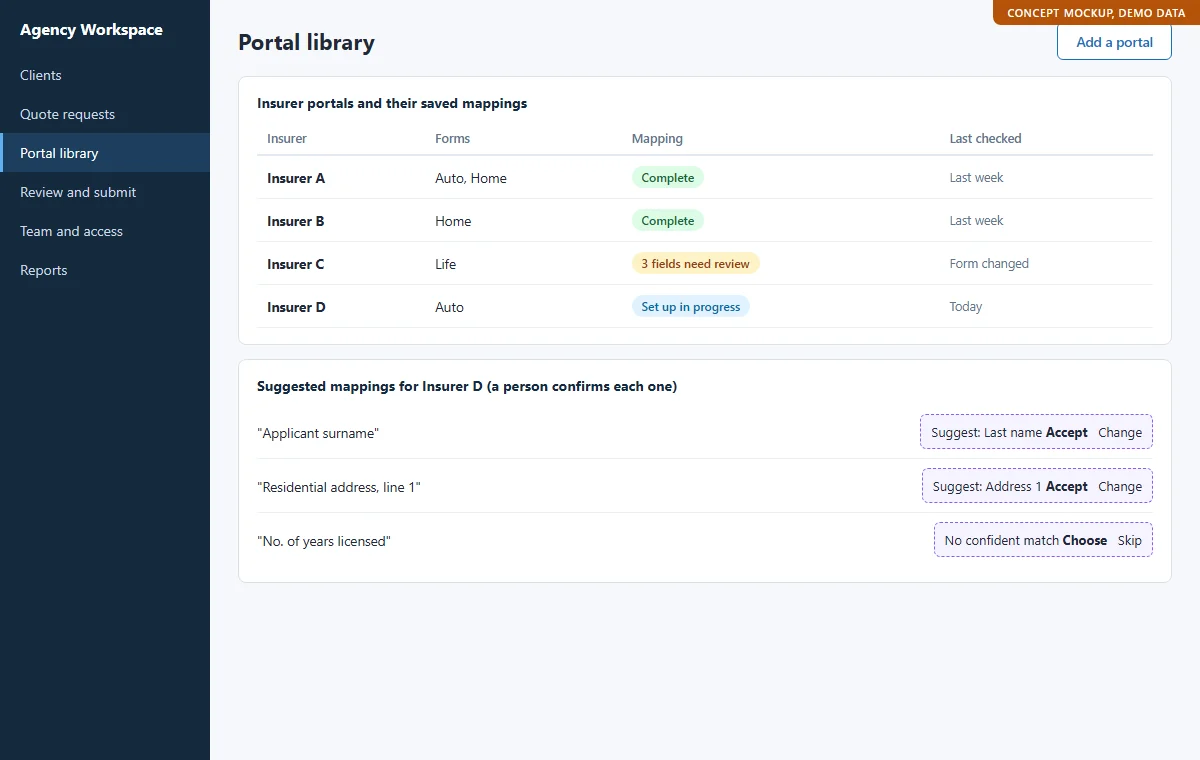
Saved mappings, and suggestions a person confirms (concept mockup, demo data).
Review before anything is submitted
The system prepares the forms. A person checks them, completes anything left blank and submits in the insurer’s portal. It keeps a short record of who prepared, reviewed and submitted each one. Access would depend on role, so an agent can prepare quotes while only an administrator can change mappings.
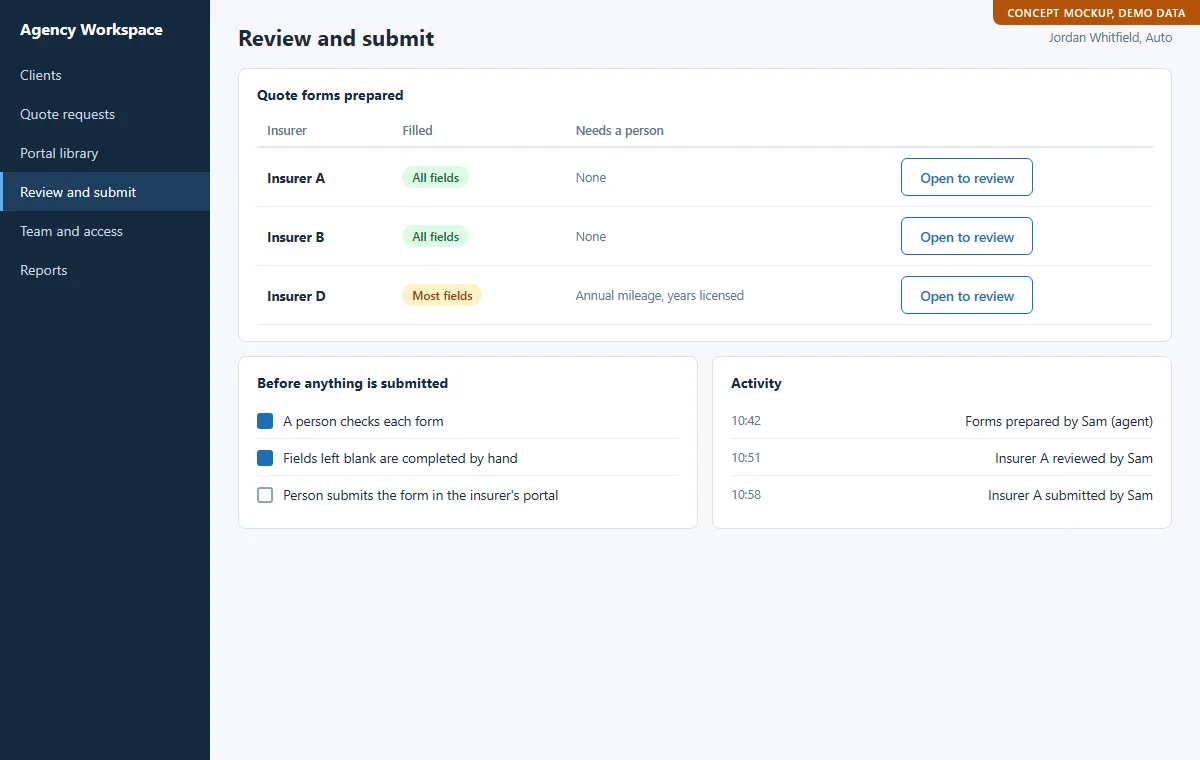
Prepared forms, a checklist before submitting and an activity record (concept mockup, demo data).
What tends to go wrong
Portals change their forms, and a saved mapping then stops matching. The design needs a way to notice and flag a mapping for review rather than quietly filling the wrong field. Each insurer’s terms of use should be checked before automating their portal. And client data needs care: who can see it, and how long it is kept.
What I would build first
I would start small. Hold the client record in one place, fill one insurer’s form well and let staff map it themselves. Then add insurers one at a time, because each one teaches you something about how the forms behave. The browser extension described in the case study is that first step. The client record, the portal library and AI-suggested mappings in this article are the designed next steps, not built.
If your team retypes the same details into several outside systems, automation discovery is a good place to start.